
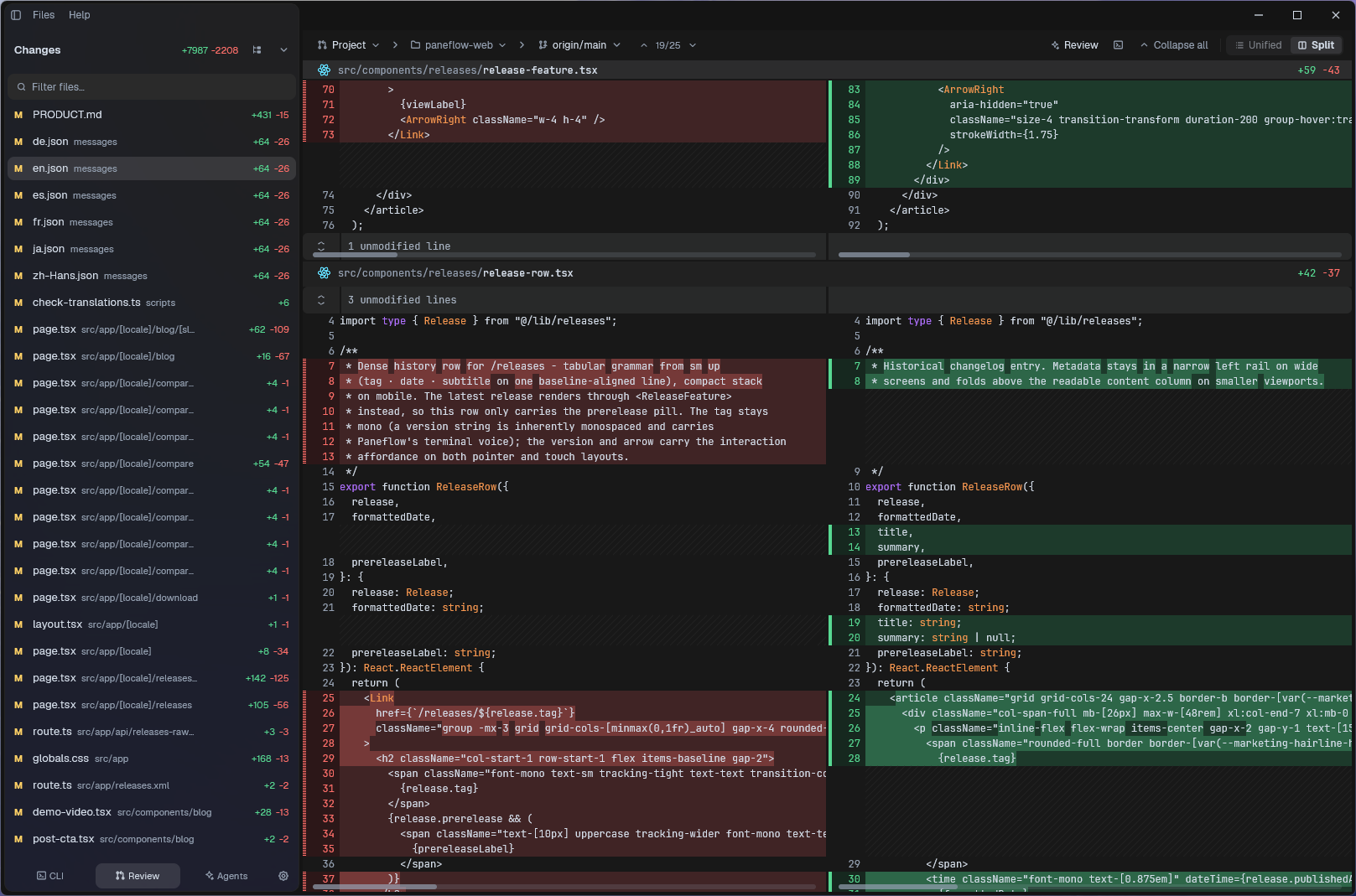
Review is where Paneflow keeps branch diffs, worktree diffs, and review agents in one workspace. It compares each branch against a base, shows the changed files, and can open CLI agents in real terminals under the diff.
Paneflow never submits a review prompt for you. It pre-fills the prompt, copies it to the clipboard as a fallback, and waits for you to read, edit, and press Enter.
Review works inside Git repositories. Open a project and select
Review in the sidebar, or press Cmd/Ctrl+Shift+G.
Choose what to review
Use the scope picker in the Review toolbar:
- Project shows the active workspace.
- Multi-project groups every open workspace by repository.
- Worktree shows sibling worktrees for the active repository.
Use the base branch selector to choose what each branch is compared against. Review uses the branch merge-base against that base, then compares it to the working tree. That includes committed branch changes, tracked uncommitted changes, and untracked files.
Read the diff
The Changes sidebar shows the aggregate diffstat, a file filter, a flat/tree toggle, and one branch section per column when several branches are visible.
In the diff body:
- Press
]and[to move between hunks. - Press
uto switch between unified and split view. - Press
sto toggle cross-column scroll sync. - Press
Ctrl+Shift+Cinside Review to copy the hovered hunk. - Right-click a hunk or file to copy that hunk or the whole file diff.
Review does not currently send a single hunk directly to an agent. Copy the hunk or file diff, then paste it into a review terminal when you want a focused question.
Launch an agent review
Every loaded branch column with changes has a Review button. Pick Claude Code, Codex, OpenCode, Pi, or several of them. Paneflow opens one terminal per selected CLI under the diff, already in the branch worktree.
The prefilled prompt asks the agent to inspect the diff with Git, review
only the changed lines, and report findings as path:line. The second
and later agents get a skeptical second-reviewer framing, so their pass
is less likely to echo the first one.
If the prompt does not appear after the CLI starts, paste it manually: Paneflow already copied it to the clipboard. Close running Review terminals before launching Review again for the same branch or hiding the column.
Use the terminal button when you only need a plain shell in the worktree. It opens a terminal under the diff without launching an agent or prefilling a prompt.
Limits
Review is designed for human-scale branch review, not huge generated diffs:
- Binary files are listed but not rendered as text.
- Lockfiles and oversized files are shown as stubs.
- Each worktree is capped at 200 changed files.
- File text above 512 KiB is not loaded into the renderer.
- The rendered diff is capped at 10,000 rows, with a visible truncation row when more lines are omitted.
- Syntax highlighting stops above 300 KB, and word-level diff highlighting stops for modified hunks over 20 lines.
Use the worktree terminal when you need the full raw Git diff.
See also
- Features - the full tour, including projects, worktrees, and agents.
- Get started - install Paneflow and open your first project.
- Keybindings - the default keymap and how to remap any action.