Manage multiple Claude Code sessions in parallel

- Published
To run multiple Claude Code sessions, open an independent agent in each Paneflow pane and give each a bounded task. Use separate Git worktrees when both sessions will edit the same repository. Paneflow keeps the terminals, task context and activity visible; you still decide what each session may change and when its result is ready.
This guide covers the session-management workflow in Paneflow 0.17.4. Install and authenticate Claude Code separately in the shell you intend to use. Paneflow is free software under GPL-3.0-or-later; Claude Code access and usage remain subject to its provider.
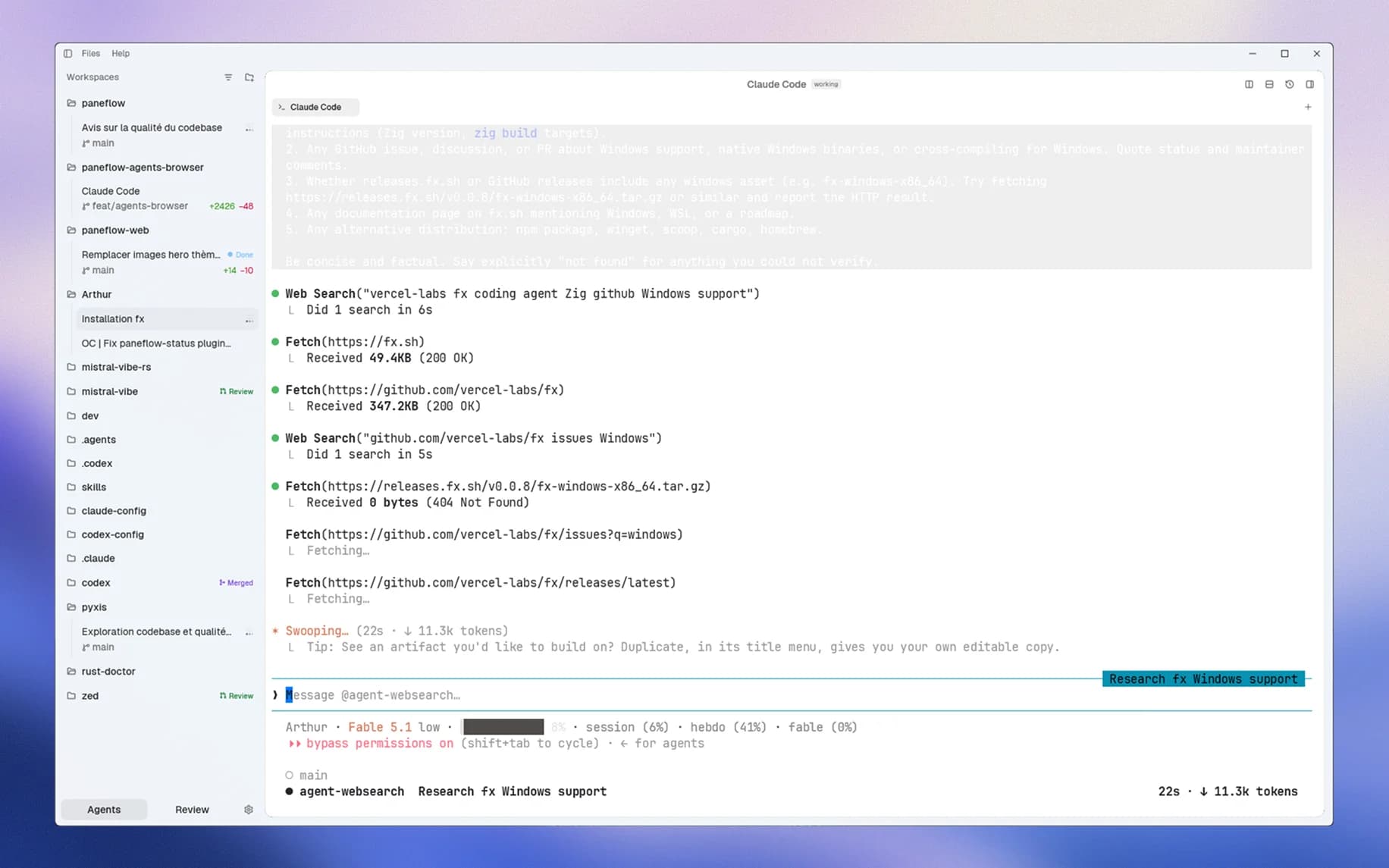
The sidebar keeps project tasks, branches and states visible beside the active Claude Code terminal.
Independent sessions or subagents?
Independent sessions fit tasks you want to steer directly: one conversation for a bug, another for documentation, each with its own terminal and checkout when needed. You read and answer each session yourself.
Claude Code subagents handle delegated work inside a session, using their own context and returning results to the parent. Choose that model when a main conversation should coordinate a bounded investigation. Opening two Paneflow panes does not create that delegation relationship or automatically share their conversation histories.
For a mixed tool setup, use the separate Claude Code and Codex parallel guide. The steps below focus on managing several instances of Claude Code.
Give each session a task you can review
Start with two independent contributions to an existing project: update docs/setup.md in one session and add edge-case tests for an already implemented parser in another. If the tests depend on a parser rewrite still underway, finish that rewrite first.
Before launching, write down four things for each task:
- The intended result and the files the session may edit.
- The files another task owns, which it must leave alone.
- The existing behavior or interface it can rely on.
- The check that will demonstrate the result, and any decision that needs your input.
Keep project instructions available in each checkout. A new session does not inherit another session's unsaved plan, decisions or conversation.
Choose shared files or a separate worktree
A second pane starts another terminal; it does not isolate files. For independent edits in the same repository, create a branch with Worktree enabled in the New branch form, then open Claude Code there. Repeat for the other task from the intended base. The worktree reference explains creation, reuse and removal.
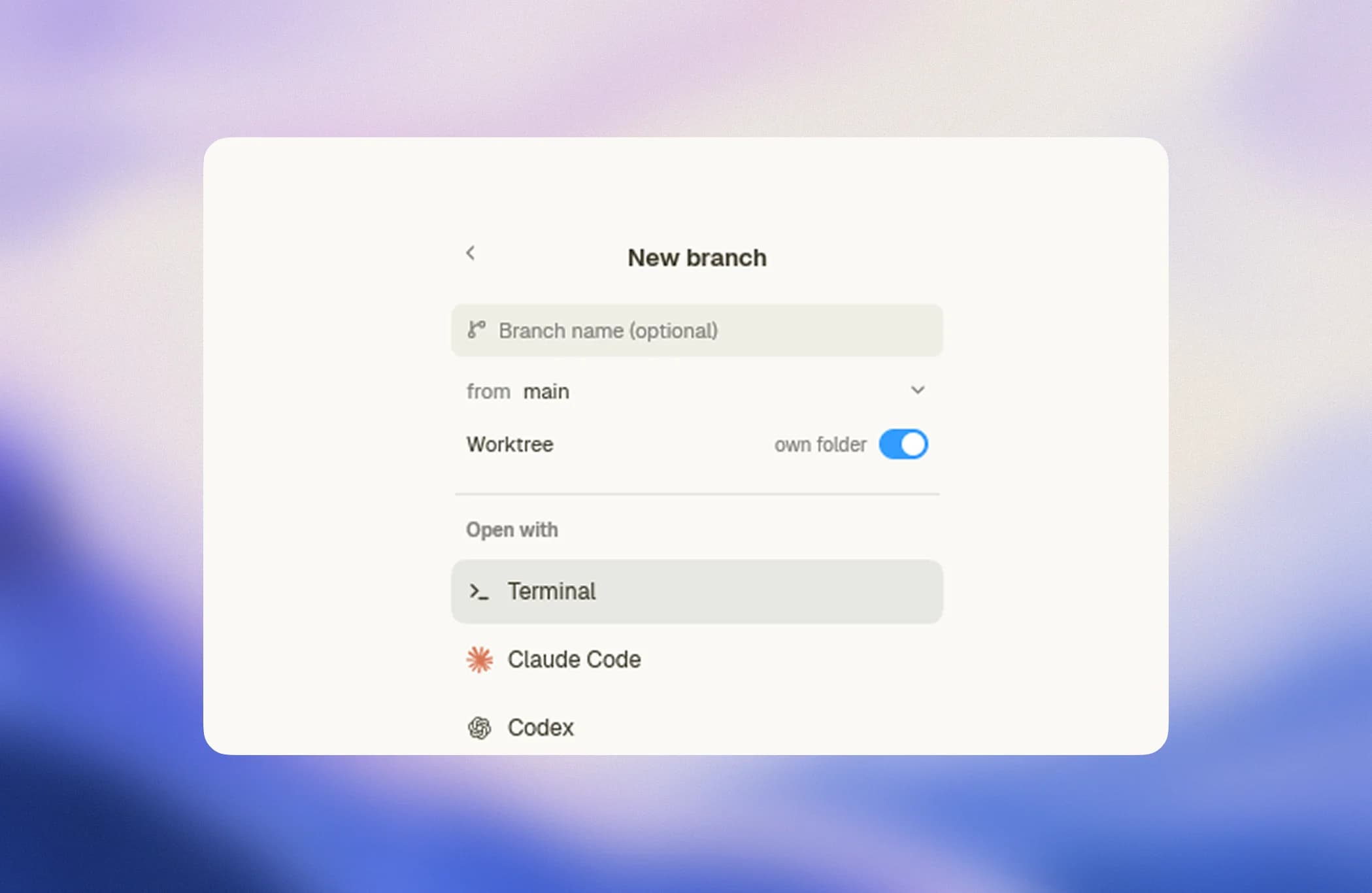
Worktrees are optional. A read-only investigation can use an existing checkout, provided you accept that files may change while it reads them. Two sessions writing shared files require explicit coordination; a separate branch name in the same checkout is not a second copy of those files.
Check the directory, branch and existing changes in each pane before assigning work:
git rev-parse --show-toplevel
git branch --show-current
git status --short
Dependencies, dev-server ports, databases and provider limits need separate attention. A worktree separates working files, not network access or running services.
Find the session that needs attention
Open Settings > Agents and check the Claude Code integration. Install hooks enables lifecycle reporting; the agent supervision reference explains its setup and fallback behavior. Paneflow uses the available integration to report activity and requests for input.
When a session needs attention, focus its terminal and read the request before approving it. When it finishes a turn, inspect what it produced. A finished state reports an agent event, not acceptance of the implementation or a passing test suite. If the state looks wrong, use the terminal output as the next diagnostic rather than launching a duplicate task.
Keep the number of sessions low enough that you can review their output. More running processes are useful only when their work can advance independently and you have capacity to integrate it.
Review changes and recover context
Save editor buffers and inspect Changes in the task's checkout. It compares staged, unstaged and untracked changes with that checkout's HEAD. Committed branch changes need a separate branch review. Check the task's validation result, then integrate the reviewed contributions using your normal Git workflow and verify the combined tree. Separate worktrees can still produce merge conflicts.
To close the window while keeping live terminals, choose Keep sessions running. Reopening reconnects while the host and machine remain running; see the persistence guide for shutdown and sleep limits. If the process ended, Sessions can load a saved Claude Code conversation for the active directory. Restart only starts a fresh shell.
Can Paneflow manage multiple Claude Code sessions?
Yes. Paneflow runs independent Claude Code terminals, organizes their project context and exposes activity through the available integration. It does not combine their model contexts or remove the need to review their work.
Does each session need a Git worktree?
No. Use a worktree when a task needs its own working files and branch. Sessions that only read a shared checkout can use it directly, but they may observe changes made by another session.
Will more sessions avoid Claude Code usage limits?
No. Paneflow does not change the provider's account, concurrency or usage limits. Reduce parallelism when tasks contend for the same quota, machine resources or unfinished output.